
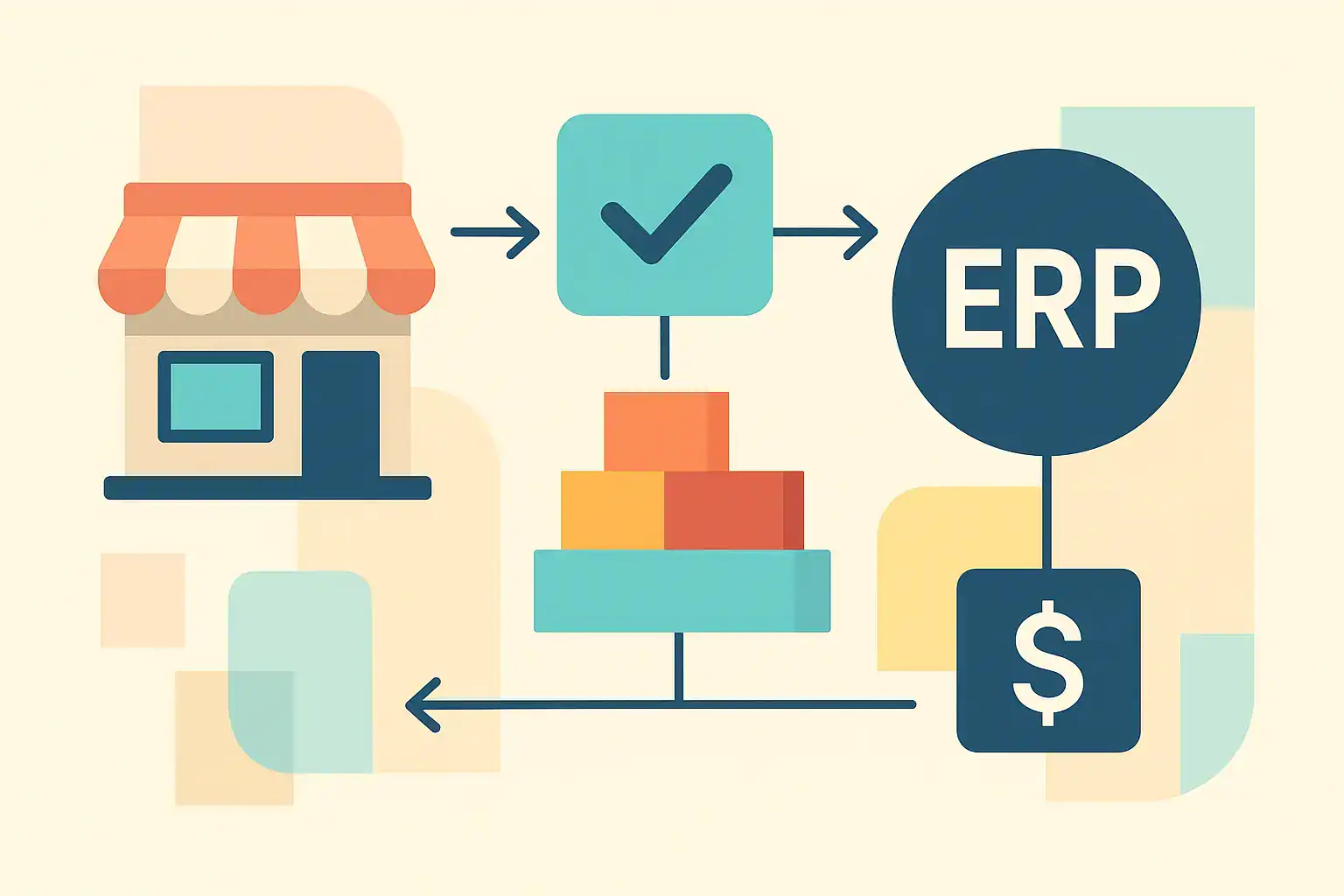
Introduction — Where Odoo Fits in the eCommerce Landscape
Whether you’re setting up your first online store or you already run a Shopify, WooCommerce, or marketplace-based operation, the question eventually arises:
“Is Odoo a viable e-commerce platform for my business?”
It’s a fair question—because Odoo sits in an unusual spot in the e-commerce world. Unlike platforms built primarily for storefront experiences, Odoo is an ERP (Enterprise Resource Planning) system that also includes a native e-commerce module. This dual identity creates both advantages and limitations depending on what a business needs.
For new founders, Odoo can look attractive as an “all-in-one” system where your store, inventory, accounting, CRM, and operations live in one place.
For growing brands already on Shopify or other platforms, Odoo often enters the conversation as a potential upgrade or consolidation point.
But choosing Odoo for e-commerce isn’t straightforward.
It offers meaningful strengths—particularly in integration, data consistency, and business management—but it also carries trade-offs in areas like design flexibility, theme quality, and time-to-launch when compared to dedicated e-commerce platforms.
This guide does not promote Odoo or warn against it.
Instead, it provides a clear, balanced assessment of:
- How Odoo’s storefront features compare with Shopify and WooCommerce
- Where Odoo performs strongly, and where its limitations become apparent
- What implementation and total cost of ownership realistically look like
- Which types of businesses benefit from using Odoo—and which don’t
The goal is simple:
Give you a grounded, objective view of Odoo as an e-commerce solution so you can make an informed decision based on your stage, model, and priorities.
With that context established, let’s start with the part most people evaluate first: Odoo’s native storefront capabilities and how they stack up against dedicated e-commerce platforms.
II. Odoo’s Native Storefront Capabilities — The Trade-Offs
When evaluating Odoo for e-commerce, one of the first questions is: “How usable is its website module?” Below is an objective look at what Odoo’s storefront can (and can’t) do.
A. Usability & Time to Launch
- Drag-and-Drop + Custom CodeOdoo provides a built-in drag-and-drop website builder, which is quite useful for smaller adjustments — layout tweaks, text blocks, images. For more advanced changes (for example, restructuring a product page, or adding app-like behaviors), technical work or customization is usually required: Odoo doesn’t offer the same “plug-and-play” flexibility in its editor as specialized page-builders.
- E-Commerce BasicsThe platform supports core e-commerce functionality out of the box: product catalogs, price lists, discounts, promotions, and product variants. These basic e-store needs are well handled within Odoo’s native modules, and because they’re integrated, you don’t need separate apps for many catalog or pricing rules.
- Learning Curve & Setup TimeBecause the website builder is deeply integrated with other Odoo apps (like Inventory, Sales, Accounting), setup can take more time. If you’re configuring inventory rules, product attributes, pricing logic and the website all at once, it’s a more complex process than simply launching a Shopify store.
Summary:
Odoo is reasonably user-friendly for basic storefront needs, but for highly customized or non-standard layouts, expect to invest in technical effort. It trades some speed and simplicity for deeper integration with backend business logic.
B. Design, Features & Extensions
- Design FlexibilityThe website builder supports modular blocks, reusable templates, and some customization of structure. However, if you want a highly-polished or unique design, or want to build highly interactive or app-like product pages, you’ll likely need custom development or a partner’s help.
- App Ecosystem LimitationsWhile Odoo does have a module marketplace, it is not as rich or mature in “storefront-only” plugins or marketing-specific extensions as platforms like Shopify. If your business model depends heavily on conversion tools, A/B testing, or advanced frontend marketing apps, Odoo may feel restrictive unless you build or buy custom modules.
- Handling Attributes & VariantsOdoo supports product variants and attributes, but some merchants report that its attribute system is not always flexible for non-variant data (like custom product fields) without customization.
C. SEO Capabilities
This is often a critical consideration for e-commerce. Here’s what Odoo provides out of the box — and where you may need enhancements.
- Built-in SEO Tools
- Odoo allows you to edit meta title, meta description, and keywords for pages, products, and categories.
- The system suggests relevant keywords when you go into the SEO optimization view.
- URLs are automatically generated and updated when you change names, helping keep links consistent.
- Odoo generates a sitemap (sitemap.xml) automatically for your site, which updates periodically.
- For multi-lingual sites, Odoo supports
hreflangtags to help search engines understand the language/region context. - It also supports structured data (schema.org) for products, which allows rich snippets (e.g., price, availability) in Google search results.
- Image optimization: Odoo compresses uploaded images and supports WebP format, improving load times — a factor that helps SEO.
- Limitations & Considerations
- Some native SEO settings (like meta fields) might feel limited without third-party modules if you have a large catalog.
- When building filter or faceted navigation (e.g., filtered attribute pages), Odoo’s default URL structure may not be SEO-friendly, and customization is often required to properly handle indexing. Reddit
- Depending on setup, careful work is required to avoid duplicate content via variations or filter pages.
D. Final Verdict on the Storefront Layer
Pros:
- Provides core e-commerce features (product catalogs, pricing, variants) in a unified system.
- Integrated with other Odoo modules, so pricing, inventory, and content are tightly linked.
Cons:
- Not the fastest path to market for highly customized or design-heavy stores.
- Theme and plugin ecosystem is less rich than Shopify or WooCommerce.
- For advanced SEO needs (faceted navigation, clean URLs, large catalog meta), you’ll likely need to rely on third-party modules or custom work.
Overall:
Odoo’s native storefront is functional and tightly integrated, but its design flexibility and built-in marketing/SEO capabilities may require additional effort to match a specialized e-commerce platform — especially if front-end experience or SEO is a key differentiator for your business.
III. eCommerce and Retail Operations Management in Odoo
Odoo’s backend integrates several modules that are relevant to e-commerce and retail operations. These include tools for order management, inventory control, logistics, and financial tracking. This section evaluates how these capabilities work and their limitations.
A. Order Management
Capabilities:
- Centralized order processing for multiple sales channels (website, POS, marketplaces)
- Interconnected sales, shipping and invoicing records
Observations:
- Orders are processed within the same database as inventory and accounting, reducing the need for separate sync tools.
- Complex workflows (e.g., partial shipments, multi-warehouse fulfillment) may require configuration.
B. Inventory and Product Management
Capabilities:
- Real-time stock visibility across warehouses and channels
- Support for product variants, batch/serial numbers, and product categories
- Automated reorder points and inventory alerts
Observations:
- Native integration minimizes manual reconciliation between inventory and orders.
- Multi-location and multi-channel setups require careful configuration to ensure stock accuracy.
- Advanced customizations, such as non-standard product attributes or complex warehouse workflows, often need technical support.
C. Logistics and Supply Chain
Capabilities:
- Management of pick, pack, and ship processes
- Integration with carriers and shipping labels (via extensions or Odoo’s built-in connectors)
- Multi-step routing and warehouse transfers for internal logistics
Observations:
- Standard shipping and delivery processes are supported out of the box.
- Businesses with highly specialized logistics requirements (e.g., multi-step assembly, dropshipping with multiple suppliers) may need custom development or integration.
- Tracking and reporting are native, but configuring advanced KPIs may require additional setup.
D. Financial Management
Capabilities:
- Automatic posting of all sales, refunds, taxes, and fees into Odoo Accounting
- Multi-currency support and reconciliation with bank transactions
- Real-time Profit & Loss, revenue, and cost reporting
Observations:
- Reduces the need for external accounting integrations for standard ecommerce operations.
- Transitioning from other accounting systems requires planning and potential training.
- Complex accounting requirements (e.g., multiple legal entities, advanced tax structures) may need configuration or consultancy.
Summary
Odoo provides an integrated set of modules to manage order processing, inventory, logistics, and financials for e-commerce and retail operations. Its main characteristics:
- Native integration reduces reliance on external tools and synchronization.
- Core operational workflows are supported out of the box, though multi-warehouse, multi-channel, or customized logistics setups may require additional configuration.
- Financials are linked directly to sales and inventory, improving data consistency, but setup and training are needed for complex scenarios.
IV. Deploying Odoo in Ecommerce and Retail Operations
Businesses considering Odoo for ecommerce have two common deployment approaches. Both focus on operational management — order processing, inventory, logistics, and financials — but differ in whether Odoo is used as the storefront or as a backend ERP integrated with an existing store.
A. Scenario 1: Odoo as Both Storefront and Backend (ERP + eCommerce)
In this setup, Odoo runs the entire show — the website, the catalog, the checkout, and all the operational pieces behind it. Orders come in through Odoo’s native storefront and move straight into the built-in modules for inventory, fulfillment, and accounting.
How this plays out operationally:
- Orders go directly to Odoo’s order management and kick off fulfillment tasks without needing any sync tools.
- Inventory updates in real time as items are sold, restocked, or moved between warehouses.
- Fulfillment can follow simple or multi-step workflows (pick → pack → ship), all inside the same system.
- Financials update automatically. Every sale, tax line, refund, or payment fee ends up in Odoo Accounting immediately.
Things to keep in mind:
- Since everything is in one system, there’s no juggling connectors — but the trade-off is that Odoo’s storefront sometimes requires more customization than more mature e-commerce platforms.
- The website builder is fine for straightforward stores, but complex product pages or heavy marketing customization usually need technical work.
- Getting everything configured (products, routes, accounting, website structure) can take longer than launching something like Shopify.
Best fit:
Businesses that want one integrated e-commerce + operations system, and are willing to compromise a bit on front-end flexibility in exchange for having everything unified in a single place. It’s generally more appealing for those setting up a new e-commerce operation rather than retrofitting an existing one.
B. Scenario 2: Existing Storefront + Odoo as the Backend ERP
This is the more common path for businesses that already have traction on Shopify, WooCommerce, BigCommerce, or another platform. Here, the storefront stays exactly where it is — Odoo sits behind it to manage operations.
How the workflow usually looks:
- Orders flow from the storefront into Odoo, where fulfillment and invoicing take place.
- Inventory is managed centrally in Odoo and pushed back to the storefront so stock levels stay accurate.
- Logistics & fulfillment are coordinated in Odoo, which can help keep multi-warehouse operations organized.
- Financials are handled in Odoo, consolidating sales, fees, taxes, and reconciliation into one accounting system.
- If the business adds more sales channels later — marketplaces, wholesale portals, additional storefronts — Odoo becomes the central source of truth.
Things to keep in mind:
- Integrations vary in quality, and the setup often requires either a reliable connector or a development partner.
- Some businesses underestimate the amount of operational cleanup required when moving from spreadsheets or disjointed tools into a structured ERP.
- The initial adjustment takes time, especially if teams are used to working directly inside Shopify or their existing platform.
Best fit:
Businesses that already have a working storefront and want to keep it, but are running into backend issues: messy inventory, slow fulfillment, multiple apps not talking to each other, or plans to expand into multiple channels. Odoo acts as the operational backbone without forcing a storefront migration.
V. Total Cost of Ownership (TCO) & Risk Factors for Small eCommerce/Retail Teams
When people talk about ERP costs, the numbers can get… dramatic. You’ll hear about six-figure projects and long, painful implementations. That happens—but not usually for small e-commerce or retail businesses with fewer than 10 users, a couple of sales channels, and operations that are just starting to outgrow spreadsheets and apps.
Here’s a grounded, realistic look at what Odoo tends to cost at this stage, and where the real risks are.
For an ecommerce-specific breakdown of what drives implementation cost — product feeds, freight, marketplace sync, and how much your own team’s involvement changes the number — see what an Odoo ecommerce implementation actually costs.
A. What Small eCommerce Businesses Actually Spend
1. Licensing (Usually the easiest part)
Odoo’s licensing is predictable and relatively inexpensive. Most small teams fall in the:
- US$24.90–37.40 per user/month (yearly plan – as of Nov 2025)
- For 5–10 users, roughly US$1,500–4,500 per year
Licensing rarely drives the decision. The real variables come later. Odoo pricing reference.
2. Hosting Options (Where the differences matter more than the price)
Odoo hosting isn’t one-size-fits-all. The hosting choice affects flexibility, customization, and long-term scalability.
Here are the three realistic options for small businesses:
Option A — Odoo Online (Standard Cloud)
- Hosting included
- No custom modules allowed
- No code-level customizations
- Only small changes via Odoo Studio (fields, simple workflows, page tweaks)
- Best for businesses who want to run Odoo exactly as it comes
- Generally paired with the Odoo Storefront, since third-party connectors can’t be installed
This is the simplest and cheapest option, but also the most restrictive.
If your business needs even mild custom logic (shipping rules, workflows, connector tuning), Odoo Online may feel limiting.
Cost: Included with licensing.
Option B — Odoo.sh (Managed Cloud for Customization)
- Supports custom modules, connectors, and heavier technical work
- Odoo manages CI/CD, backups, monitoring
- A good middle ground for small businesses who need flexibility but don’t want to run infrastructure
Small teams often move to Odoo.sh once they realize they need even 1–2 customizations.
Cost: ~US$30–150/month depending on workers, storage, and environments. Odoo.sh pricing reference.
Option C — Custom Cloud Hosting (AWS, DigitalOcean, etc.)
- Full control over server environment
- Supports unlimited customization
- Requires either in-house technical skills or a partner to manage servers
- More flexible than Odoo.sh, but also less “hands-off”
This is usually chosen by companies expecting frequent customizations, or those wanting tighter control over performance and data.
Cost:
Typically US$20–150+/month depending on machine size + management/DevOps costs (if outsourced).
3. Implementation (The biggest variable)
This is where most of the cost variation appears. But for small e-commerce teams, the numbers are still manageable:
✔ Light setup (simple workflows):
US$3,000–7,000
✔ Moderate setup (growing e-commerce brand):
US$7,000–15,000
✔ Adding Odoo Ecommerce storefront:
Add US$3,000–10,000
(depending on page layouts, checkout logic, shipping rules, etc.)
These ranges reflect what small shops actually spend — not enterprise-size implementations.
4. Ongoing Support (Predictable, unless you customize heavily)
Most small teams end up in the:
- US$100–500/month(US$1,200–6,000/year)
This covers: bug fixes, small improvements, connector updates, and occasional support.
Support costs increase if:
- you add new channels
- you extend the system regularly
- you require custom development
But many teams stay in the lower half of that range.
B. What This Looks Like in Year 1 vs. Year 2
| Category | Year 1 | Year 2+ |
|---|---|---|
| Licensing | $1,500–4,000 | $1,500–4,000 |
| Hosting | $0–1,800 | $0–1,800 |
| Implementation | $5,000–15,000 | — |
| Support | $1,200–6,000 | $1,200–6,000 |
| Total | $7,700–26,800 | $3,000–12,000 |
This is the cost model small e-commerce teams should expect—not the inflated ERP budgets used in enterprise comparisons.
C. Real-World Risk Factors
1. Process Change Isn’t Free
Even the smallest team has to adjust to using real-time stock, structured workflows, and central data instead of ad hoc tools.
It’s not difficult — but it is a shift.
2. Customization Creep
Small teams often start with:
“Let’s keep everything standard.”
Then the small requests start trickling in:
- “Could the picking list look like this instead?”
- “Can you tweak the checkout logic?”
- “Can we add a step to the shipping workflow?”
Individually these are tiny. Collectively they add cost.
3. Integrations Aren’t Completely Hands-Off
Shopify, Amazon, eBay, and other connectors do a lot of heavy lifting.
But almost always, some mapping or workflow tuning is required.
Not expensive — just something people don’t anticipate.
4. Data Migration Is Always Messier Than Expected
Even very small stores have messy data:
- old SKUs
- stock levels that don’t match reality
- product variants that never got cleaned up
- duplicates everywhere
Cleaning and importing this is often one of the slowest phases.
5. Odoo Is Overkill Too Early
If you’re still at:
- <50 orders/month
- mostly testing products
- living comfortably in Shopify admin + spreadsheets
Then Odoo is probably more system than you need right now.
It usually becomes relevant once order volume and complexity start straining your current workflow.
D. Versioning, Upgrade Cycles & Hosting Types — What to Know Before You Commit
When you pick Odoo, your hosting setup dramatically affects how upgrades and version support are handled — which in turn affects cost, maintenance burden, and risk. Below are the three realistic hosting paths and what each means for upgrades and long-term maintenance. Odoo version support policy.
1. Odoo Online (Standard Cloud SaaS)
- Automatic upgrades: On Odoo Online, when a new major version of Odoo is released, you’ll see a prompt in your database admin — you can choose to run the upgrade manually or let it happen automatically after a deadline.
- No custom modules allowed: Because Online does not support custom third‑party modules or code‑level customization, you don’t need to worry about breaking custom modules when upgrading.
- Minimal upgrade risk: Since you’re using only standard modules (or light tweaks via Odoo Studio), upgrades tend to be straightforward.
- Trade‑off: Limited flexibility: The downside is that you’re confined to stock functionality and cannot extend the system substantially or connect many external services — which may be fine when you start, but limiting if you grow.
Implication: If you don’t need heavy custom logic — and just want a standard, out-of-the-box system — Odoo Online provides a low‑maintenance path with predictable upgrades and minimal versioning risk.
2. Odoo.sh (Managed Cloud with Customization Support)
- Controlled upgrade flow with staging: Odoo.sh supports custom modules, but upgrades must be managed carefully. The typical process involves creating a staging branch, testing the upgrade (database + custom code), verifying everything works, then applying to production.
- Custom code risk during upgrades: If you’ve added custom modules or modified standard ones, these must be updated to match the new Odoo version — otherwise, the upgrade may fail or break functionality.
- Some overhead required: Even for small businesses, plan for at least minimal developer or partner time (test upgrade, fix any custom module incompatibilities, run QA) each time Odoo releases a new major version.
- Support window & version lifecycle: Odoo officially supports the three most recent major versions.
Implication: If you rely on customization or third‑party integrations, Odoo.sh gives flexibility — but you must treat upgrades as a small project, with time, testing, and possibly cost.
3. Custom Hosting / Self‑Hosted (Cloud Provider or On-Premises)
- Full control — full responsibility: Hosting on your own infrastructure (cloud server or on-premise) means you control when and how upgrades happen. That gives flexibility, but also puts the burden on your team or partner.
- Manual upgrades required: When a new version is released, you must follow the official upgrade process (dump database, run upgrade script, test, restore), test custom modules, and ensure server configuration is appropriate.
- Custom modules + hosting = high maintenance needs: If you have custom workflows, integrations, or modules — and are self-hosting — expect upgrade cycles to require technical work, QA, maybe downtime, and possibly costs for developer time.
- Hosting & operational costs stay separate: On top of upgrade labor, you still bear the cost of hosting, server maintenance, backups, scaling, etc.
Implication: For businesses needing maximum flexibility and complete control, custom hosting works — but you should budget upgrade effort and infrastructure maintenance as ongoing tasks, not one-time costs.
4. What the Versioning Policy Means for Small Ecommerce Teams
- Odoo releases a major version roughly every year.
- If you’re on Odoo Online, upgrades are handled for you — minimal effort, but limited customization.
- If you use Odoo.sh or self-hosting AND rely on custom modules or integrations, each version upgrade becomes a mini‑project — testing, code updates, backups, perhaps user training.
- For a small team, this may be manageable if you plan ahead, but if you neglect upgrade maintenance, you risk falling behind or running on unsupported versions — which can lead to security issues, missing bug fixes, and compatibility problems with addons/integrations.
5. Recommendation (Based on Use Case)
Here’s a rough guideline:
- If you’re a small e-commerce or retail business and plan to use mostly standard features → Odoo Online is the least risky and lowest maintenance path.
- If you need some custom workflows or integrations, and are okay with occasionally investing time in upgrades → Odoo.sh strikes a balance between flexibility and convenience.
- If you require full control, custom infrastructure, or expect heavy customization (e.g., complex integrations, custom modules, server-side logic) → go with custom hosting, but treat upgrades like part of your ongoing cost & operations plan.
E. Summary: What Small Teams Should Expect
For small e-commerce and retail businesses:
- Licensing is cheap, predictable, and rarely the issue.
- Hosting depends on how much customization you need.
- Implementation is the real cost, but still manageable at this scale.
- Support stays reasonable, unless the business builds lots of custom logic.
- The biggest risks aren’t technical — they’re process, data, and expectations.
This is what adopting Odoo actually looks like for small teams — simple enough to manage, flexible enough to grow into, but not something to underestimate either.
VI. When Odoo May Not Be a Good Fit
While Odoo can be a great option for many small e-commerce and retail teams, it’s not universally ideal. Being honest about the limitations helps small businesses make a realistic choice.
If your operation is finance-led rather than operations-led — multiple entities, consolidated reporting, investor-grade accounting — the better-fit platform may not be Odoo at all. See our comparison of Odoo vs NetSuite for a growing ecommerce business for where that line sits.
1. Early-Stage Stores with Low Volume
- If you’re selling fewer than 50 orders per month and managing a small product catalog, the operational complexity of Odoo may be overkill.
- Simple setups with Shopify + apps or WooCommerce often provide all the functionality you need with minimal overhead.
2. Teams Prioritizing Front-End Flexibility and Marketing
- Odoo’s storefront themes and app ecosystem are less mature than Shopify or WooCommerce.
- Businesses that rely heavily on A/B testing, conversion-focused apps, or advanced marketing plugins may find the platform restrictive.
3. Heavy Customization Requirements
- While Odoo is highly customizable, every custom workflow or module adds complexity, maintenance cost, and upgrade risk.
- Teams without access to a developer or implementation partner may struggle to maintain a highly customized system over time.
4. Limited SEO/Marketing Features
- SEO basics are supported (title/meta tags, URLs, sitemap, robots.txt), but advanced SEO tools and marketing integrations are not as extensive as specialist ecommerce platforms.
- Businesses that rely on search engine traffic as a primary growth engine should carefully evaluate the limitations.
5. Resource Constraints
- Even small businesses can underestimate the time and attention needed to configure Odoo, train staff, or manage upgrades (especially on Odoo.sh or custom hosting).
- Without a clear plan, ROI may take longer to realize than expected.
Summary:
Odoo works best when:
- Operational efficiency and centralization are important
- You have growing order volume and multi-channel needs
- You are comfortable with some learning curve and/or light technical support
Odoo may not be ideal when:
- You’re very early stage
- Front-end design, advanced marketing, or plug-in flexibility is critical
- You want a “set-and-forget” store with no process adjustments
VII. Summary & Next Steps
Odoo isn’t a perfect fit for every e-commerce business — and that’s okay. The real value of this evaluation is understanding where it works, where it doesn’t, and what it really costs for small to mid-sized teams.
Here’s the takeaway for each audience:
- If you’re starting fresh and want an integrated e-commerce + operations system: Odoo Online or Odoo.sh can give you a unified platform for inventory, order management, logistics, and financials. You trade some front-end polish and plug-and-play marketing apps for operational control and a single source of truth.
- If you already have a storefront on Shopify, WooCommerce, or another platform: Odoo can function as a backend ERP, centralizing inventory, orders, and accounting across multiple channels. This allows you to keep the storefront you know and trust while cleaning up operational complexity behind the scenes.
Costs and risks are manageable for small teams — licensing is modest, implementation is the largest upfront investment, and upgrades can be simple or more involved depending on customization and hosting choice. Knowing your upgrade path, versioning support, and integration requirements upfront is critical to avoid surprises.
Next Steps
If your business is starting to experience operational pain, or you’re unsure whether Odoo fits your workflow, consider:
- Conducting a process audit to map out pain points
- Identifying must-have features versus nice-to-have customizations
- Consulting with an Odoo implementation expert to clarify cost, hosting, and upgrade implications
Even a small amount of planning can save significant time and cost later, and ensure your e-commerce operations scale smoothly without surprises.
Explore Your Options:
If you want a low-risk, realistic evaluation of Odoo for your e-commerce business — whether new or already established — Ministers.io specializes in small-business implementations and multi-channel ERP setups. Schedule a consultation to see if Odoo is the right fit for your store and an estimated cost for an implementation project.
